> ## Documentation Index
> Fetch the complete documentation index at: https://elatoai.com/docs/llms.txt
> Use this file to discover all available pages before exploring further.
# Pitch Shift AI Voices
> Sound like Hulk or Alvin and the Chipmunks
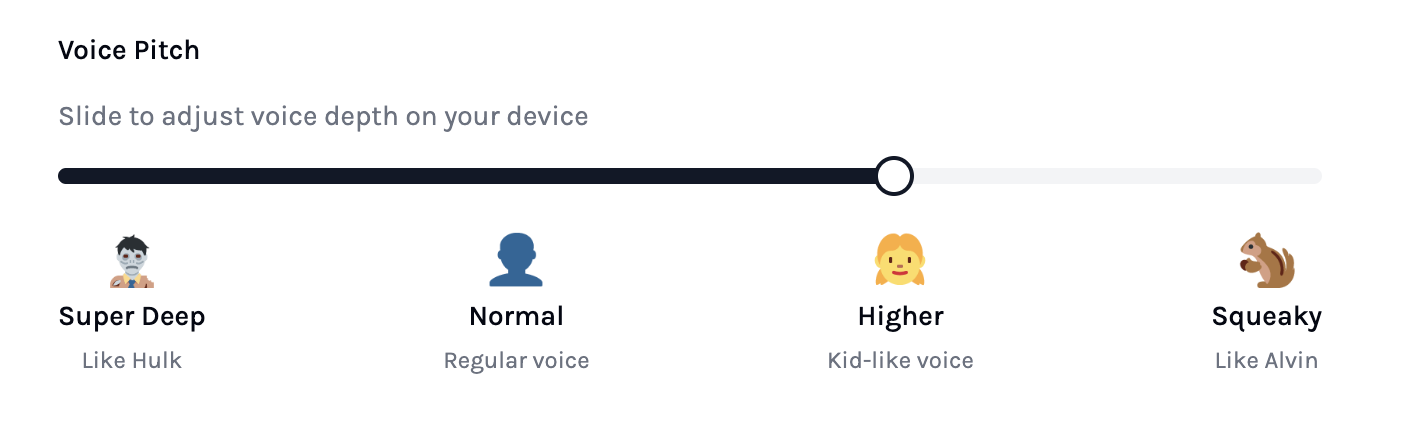
## Pitch Shifted AI Voice \< 1.0 that sounds like Hulk
## What is Pitch Shifting?
Pitch shifting changes the pitch of a sound without changing the playback speed. It’s useful for:
* Creating “cartoon-like” higher voices (pitch factor > 1.0)
* Deepening voices for characters like “Hulk” (pitch factor \< 1.0)
## Why Pitch Shifting?
When we spoke to doctors and parents about using Elato in hospitals, they were more excited about child-like voices to reduce children’s anxiety.
One customer put it simply:
> OpenAI Voices are not well suited for small toys. The ultimate goal is to build a toy for my 10-year-old daughter that can answer simple questions and tell fairy tales on request.
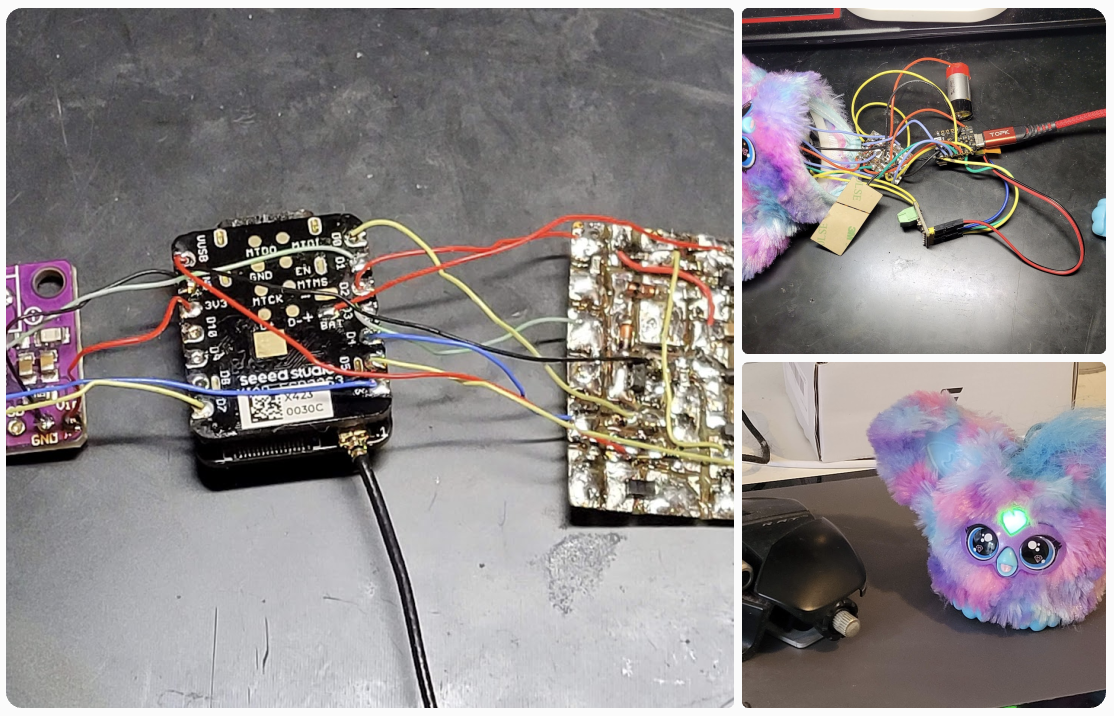
His Furby-like setup was an incredible idea. Here's Roman's current setup with an ESP32 XIAO:
## How to create cartoon-like realtime AI voices with pitch shifting on ESP32 Arduino
Phil Schatzmann’s `arduino-audio-tools` lays the groundwork:
* Repo: [https://github.com/pschatzmann/arduino-audio-tools](https://github.com/pschatzmann/arduino-audio-tools)
* Pitch shifting wiki: [https://github.com/pschatzmann/arduino-audio-tools/wiki/Pitch-Shifting](https://github.com/pschatzmann/arduino-audio-tools/wiki/Pitch-Shifting)
### Audio pipeline before pitch shift
```
OpusDecoder → BufferPrint → audioBuffer → QueueStream → VolumeStream → I2SStream
```
```cpp theme={null}
VolumeStream volume(i2s); // access from audioStreamTask only
QueueStream queue(audioBuffer); // access from audioStreamTask only
StreamCopy copier(volume, queue);
AudioInfo info(SAMPLE_RATE, CHANNELS, BITS_PER_SAMPLE);
```
### Audio pipeline with pitch shift
```
OpusDecoder → BufferPrint → audioBuffer → QueueStream → PITCH_SHIFT_OUTPUT → VolumeStream → I2SStream
```
```cpp theme={null}
PitchShiftFixedOutput pitchShift(i2s);
VolumeStream volumePitch(pitchShift); // access from audioStreamTask only
StreamCopy pitchCopier(volumePitch, queue);
```
### Apply pitch factor dynamically
In our `websocketEvent` callback, we can configure pitch shift when the pitch factor is not `1.0`:
```cpp theme={null}
// Only initialize pitch shift if needed
if (currentPitchFactor != 1.0f) {
auto pcfg = pitchShift.defaultConfig();
pcfg.copyFrom(info);
pcfg.pitch_shift = currentPitchFactor;
pcfg.buffer_size = 512;
pitchShift.begin(pcfg);
}
```
This pitch shift implementation uses a granular synthesis approach.
Implementation helpers:
* [`PitchShift.cpp`](https://github.com/akdeb/ElatoAI/blob/main/firmware-arduino/src/PitchShift.cpp)
* [`PitchShift.h`](https://github.com/akdeb/ElatoAI/blob/main/firmware-arduino/src/PitchShift.h)
## In conclusion
Pitch shifting is a simple but powerful way to make realtime AI voices feel more playful and character-like on ESP32. With Elato you can set this in your NextJS app directly.
Full repo: [https://github.com/akdeb/ElatoAI](https://github.com/akdeb/ElatoAI)
 Full repo: [https://github.com/akdeb/ElatoAI](https://github.com/akdeb/ElatoAI)
 ## How to create cartoon-like realtime AI voices with pitch shifting on ESP32 Arduino
Phil Schatzmann’s `arduino-audio-tools` lays the groundwork:
* Repo: [https://github.com/pschatzmann/arduino-audio-tools](https://github.com/pschatzmann/arduino-audio-tools)
* Pitch shifting wiki: [https://github.com/pschatzmann/arduino-audio-tools/wiki/Pitch-Shifting](https://github.com/pschatzmann/arduino-audio-tools/wiki/Pitch-Shifting)
### Audio pipeline before pitch shift
```
OpusDecoder → BufferPrint → audioBuffer → QueueStream → VolumeStream → I2SStream
```
```cpp theme={null}
VolumeStream volume(i2s); // access from audioStreamTask only
QueueStream
## How to create cartoon-like realtime AI voices with pitch shifting on ESP32 Arduino
Phil Schatzmann’s `arduino-audio-tools` lays the groundwork:
* Repo: [https://github.com/pschatzmann/arduino-audio-tools](https://github.com/pschatzmann/arduino-audio-tools)
* Pitch shifting wiki: [https://github.com/pschatzmann/arduino-audio-tools/wiki/Pitch-Shifting](https://github.com/pschatzmann/arduino-audio-tools/wiki/Pitch-Shifting)
### Audio pipeline before pitch shift
```
OpusDecoder → BufferPrint → audioBuffer → QueueStream → VolumeStream → I2SStream
```
```cpp theme={null}
VolumeStream volume(i2s); // access from audioStreamTask only
QueueStream